Looking Up an IP
Every IP address shown as a link opens a dialog with context on that address, without leaving the page: in the key figures and the top list on Overview, in the tables of Top Talkers and Flows, and on Conversations, where you can also click an address in the Sankey. The dialog stays open while the page updates underneath it.
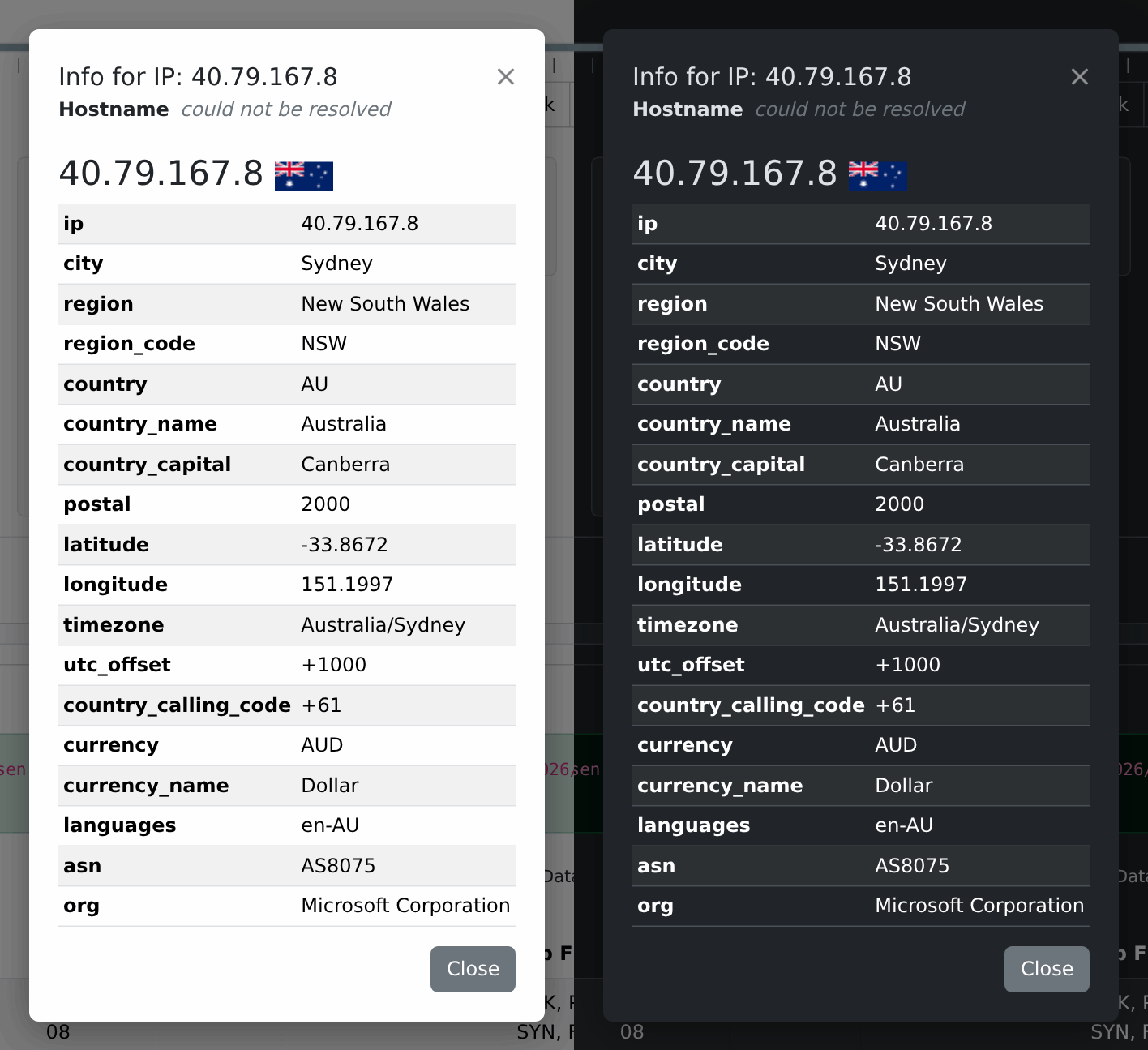
What you get
- Hostname: reverse DNS, if the address resolves to a name. An administrator can turn these lookups off in Settings; the dialog then says the name was not looked up.
- For a public address: its Location (city, region, country with its flag, coordinates, and whatever else the source knows, such as the network owner). Useful for a quick “is this a cloud provider, a CDN, or somewhere unexpected?” check on an unfamiliar destination. The last line names the source.
- For a private address (RFC 1918, e.g.
192.168.x.x,10.x.x.x), geolocation doesn’t apply, so instead you get whatever your organisation’s NetBox IPAM has on record for it, if your administrator connected one: description, tenant, VRF, role, status (see Configuration).
The two answer different questions (who owns this address out on the internet? versus which of our machines is this?) and you get exactly one, decided by the address itself. That split is also a privacy boundary: an internal address is never sent to a geolocation service, so your addressing scheme stays on your network.
Where the location comes from
If your administrator installed a local MaxMind database
(NFSEN_GEOIP_DB), the
location comes from it: nothing leaves the server, there is no rate limit, and the
dialog says Source: MaxMind database.
Otherwise the lookup calls a web service over the internet, ipapi.co unless your administrator pointed it somewhere else, and the dialog names that service. It only fires for public addresses, and only when you click one, not automatically for every row in a table. If your nfsen-ng instance has no outbound internet access, that part of the dialog comes back empty; reverse DNS and Netbox lookups (if configured) are unaffected.
If the location part shows a warning instead
Web services cap how many lookups they answer for free, and the default one is
fairly strict about it. Once you’re over the cap the dialog says so
(RateLimited, or whatever the service calls it) in place of the usual table.
Reverse DNS still works.
It clears on its own once the service’s counter resets, which may be the next minute or the next day, depending on which cap you ran into. If you’re hitting it regularly, ask your administrator to set up a local GeoIP database, switch services, or add an API key (Configuration covers all three, and lists several free alternative services).