Settings
Settings has five tabs. General holds the preferences you can change from the browser; Sources, Storage, Integrations and System show how this instance is deployed, and apart from one switch they are read-only.
General
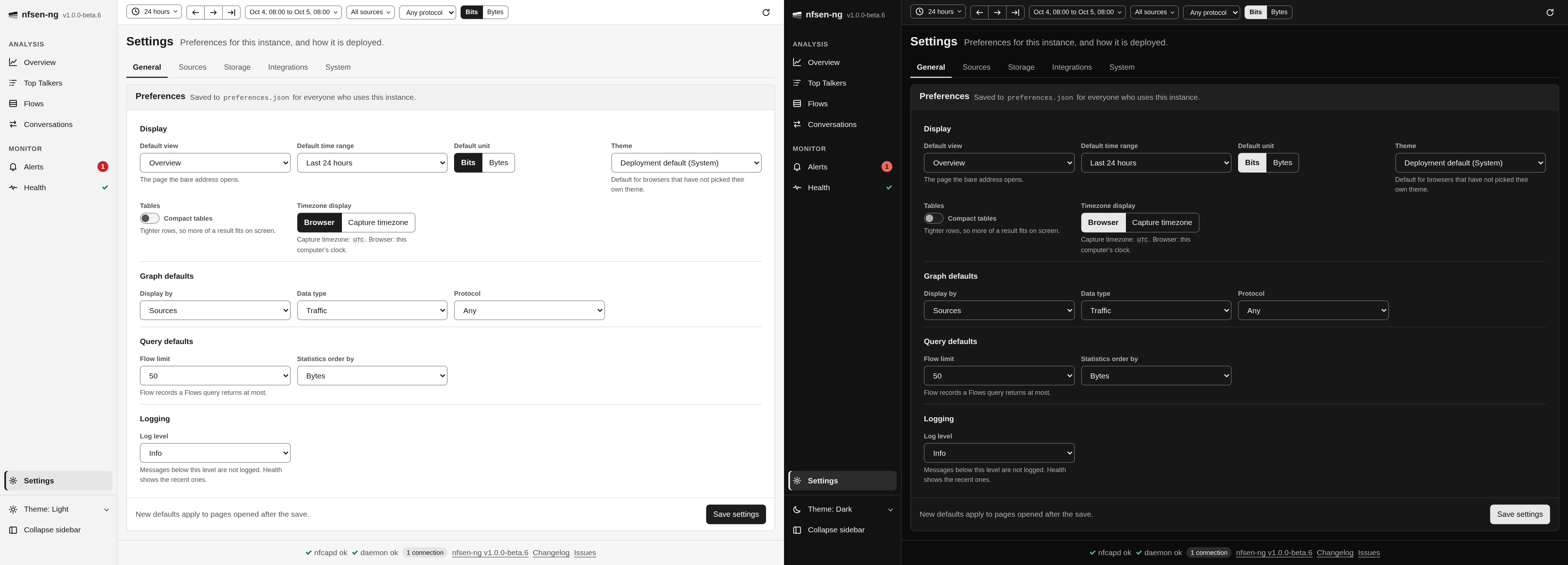
These preferences are saved to preferences.json on the server, so they apply to
everyone who uses this instance, in every browser. Save settings at the bottom
saves the whole tab.
Display
- Default view: the page that opens when the address has none.
- Default time range: the range a new tab starts with, from Last hour to Last year.
- Default unit: Bits or Bytes for rates and volumes.
- Theme: the theme for browsers that have not picked their own in the
sidebar. Deployment default uses what the administrator set
(
NFSEN_DEFAULT_THEME, named in brackets); System follows each computer’s light or dark setting; Light and Dark force one. - Compact tables: tighter rows, so more of a result fits on screen.
- Timezone display: show times in each Browser’s timezone, or in the Capture timezone nfcapd names its files in. Handy if you monitor a network in another timezone than the one you are sitting in.
Graph defaults set what the Overview graph starts with: Display by, Data type, and the Protocol the controls bar starts with.
Query defaults set the Flow limit for Flows and the Statistics order by for Top Talkers.
Logging sets the Log level of the server. Leave it at the default unless
you’re troubleshooting; the Health page shows the recent lines. A
saved log level overrides NFSEN_LOG_LEVEL.
Saved filters are managed in the filter builder, not here.
Which theme you see
A browser’s own choice in the sidebar theme menu wins. Without one, the
Theme above applies, and while that is left at Deployment default,
NFSEN_DEFAULT_THEME does. Use instance default in the theme menu drops the
browser’s own choice again.
Sources and Storage
Sources lists the configured sources and ports, the port direction, the capture directory root, the default and the detected profiles, and every capture directory with its state.
Storage shows the datasource and where it keeps its data, the import depth, the state directory, the preferences and settings files, the top-N retention, and the SQLite store: its file, size, journal mode and schema version, or the problem that keeps it from working.
Both come from environment variables or settings.php and change only with a
restart; see Configuration.
Integrations
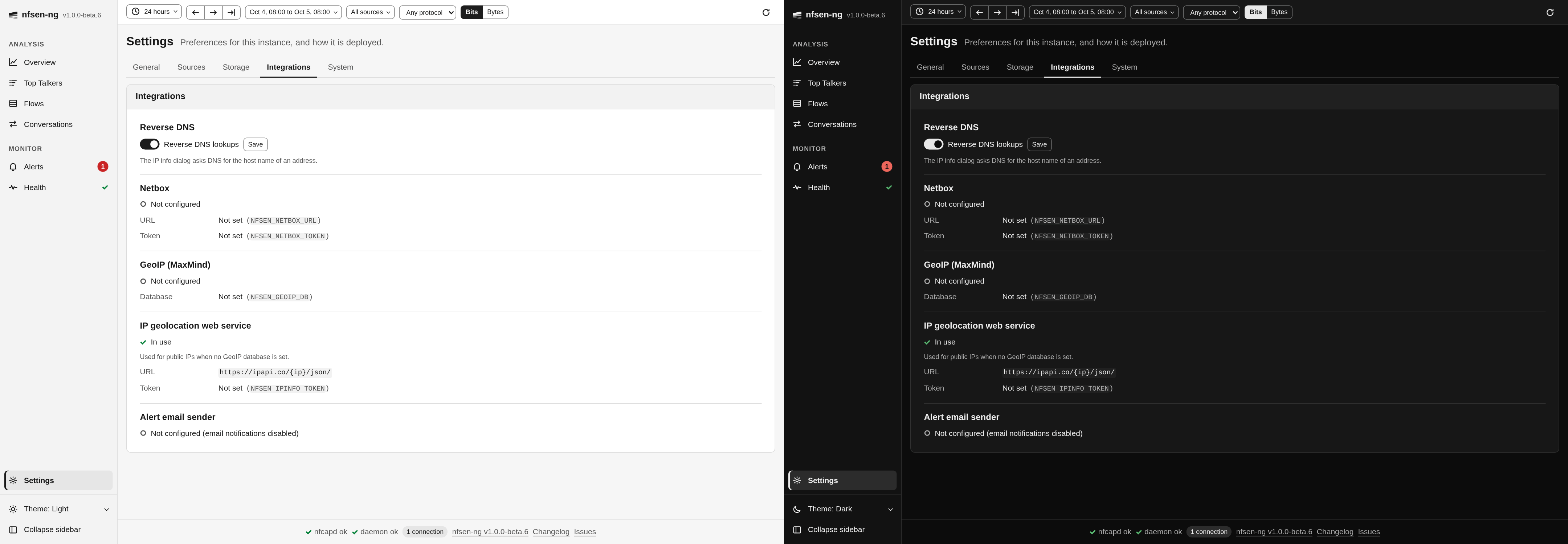
- Reverse DNS: whether the IP info dialog asks DNS for the host name of an address. This is the one switch on these tabs; Save next to it stores it.
- Netbox: whether a Netbox instance is configured for private addresses, with its URL and the token masked.
- GeoIP (MaxMind): the local geolocation database, if one is set, with its type and build date and whether IP lookups use it, or the reason they can’t.
- IP geolocation web service: the service used for public addresses when no GeoIP database answers, with its URL and the token masked.
- Alert email sender: the From address alert emails use, or Not configured, which means email notifications are off.
System
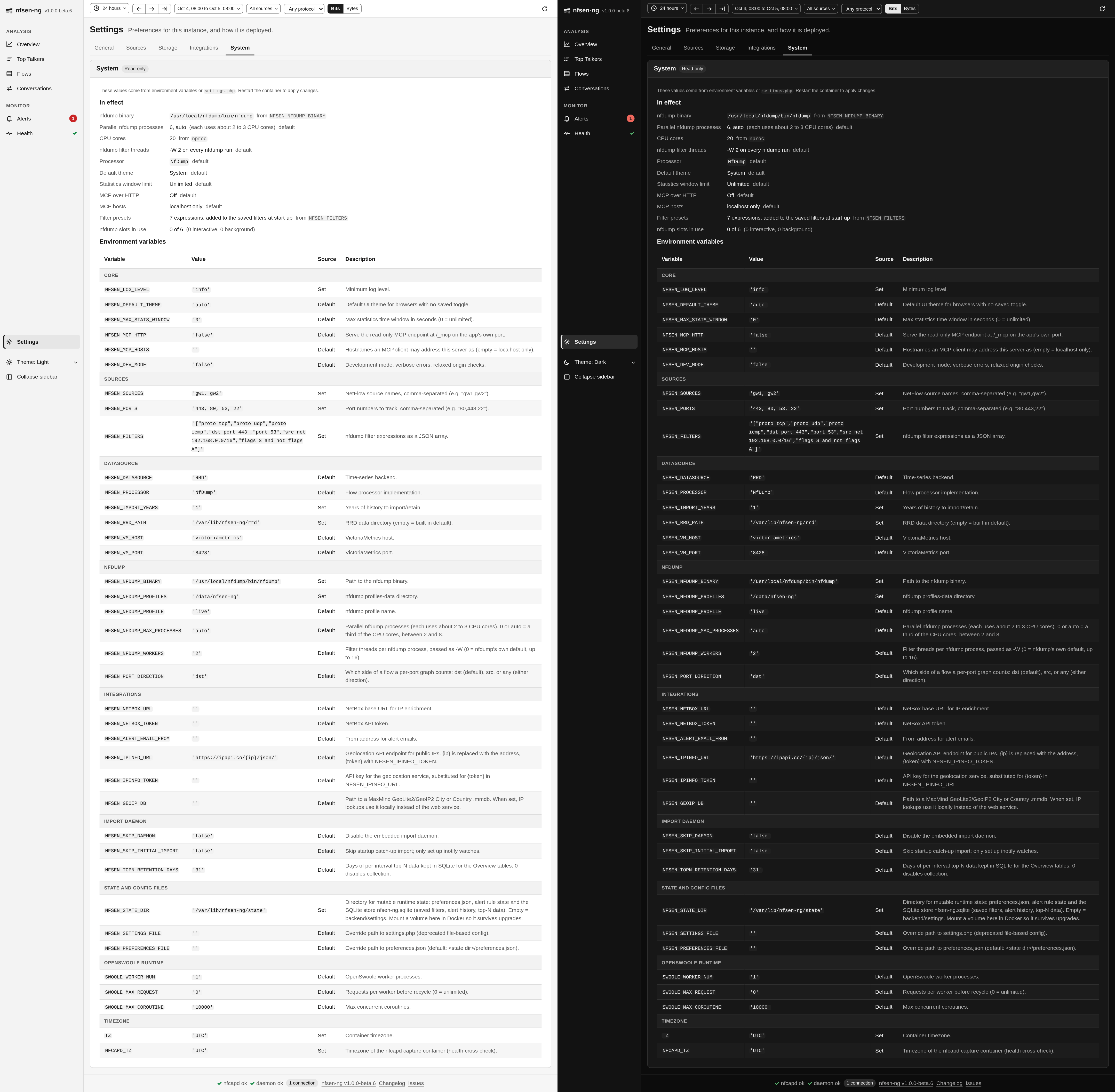
System shows what the instance runs with. In effect lists the values the
app uses, each marked as a default or with where it came from, among them how
many nfdump processes may run at once (Parallel nfdump processes, auto
when derived from the CPU cores), the nfdump filter threads each one
starts, and the nfdump slots in use right now. Environment
variables lists every variable nfsen-ng reads, grouped, with its value, whether
it was set or defaulted, and what it does; tokens are masked. If a settings.php
is loaded, the tab says so, because its values win over the variables.
You (or whoever you ask for help) can see this way exactly what an instance is configured with, without shell access to the host.