Admin & Health
Two screens under Settings are for keeping nfsen-ng itself running smoothly, rather than analyzing traffic: Import (manual scan controls) and Health (a status check of the whole setup).
Health: is everything OK?
Settings → Health runs down PHP requirements, timezone configuration, the nfdump binary, your configured sources, the import process, and your storage backend — each marked ok / warning / error, with a note on what to do about anything that isn’t green.
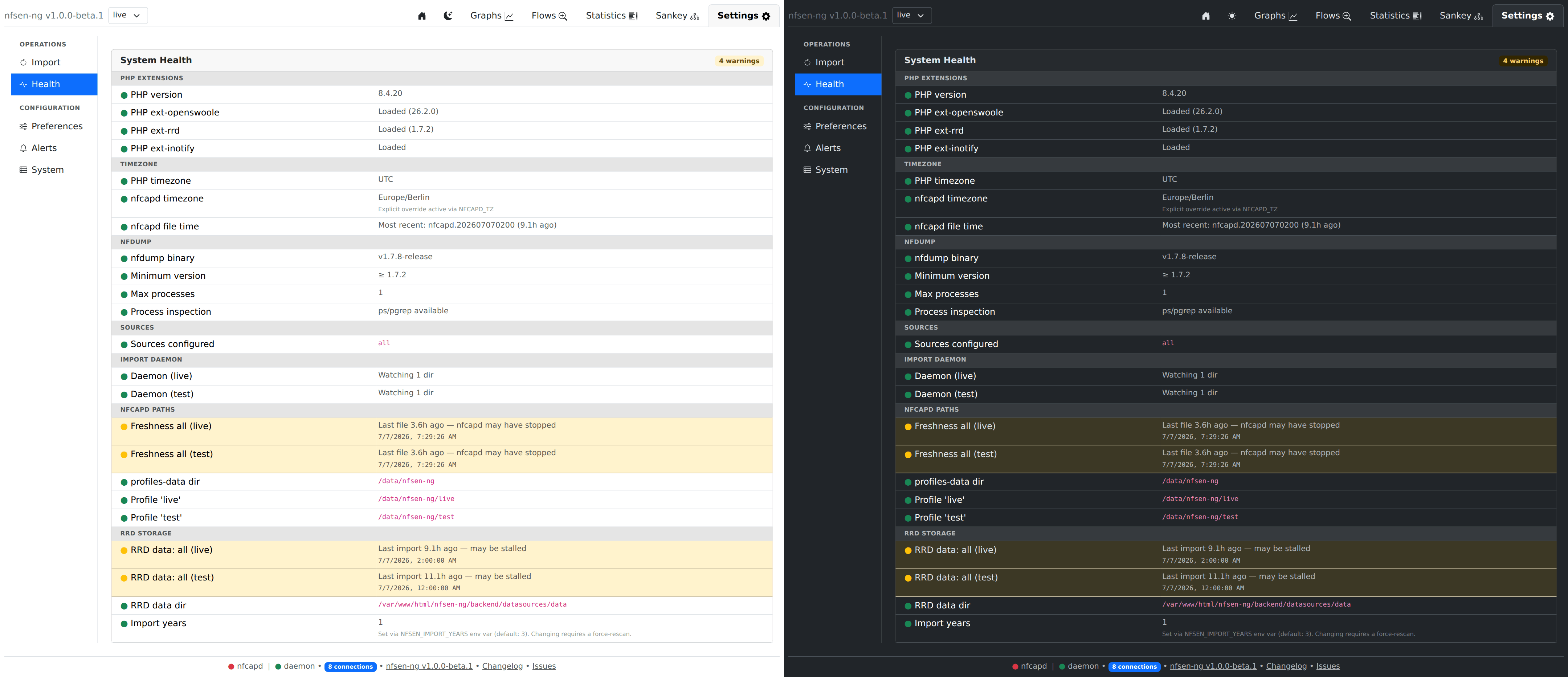
If something’s wrong, the entries are grouped so you can jump straight to the relevant area rather than reading the whole list. For example, the nfdump group:

- nfdump binary / Minimum version — confirms the tool nfsen-ng shells out to actually exists and is new enough.
- Max processes — how many nfdump queries are allowed to run at once (see Preferences for where this is set).
- Process inspection — a quieter but important one: this confirms the
system actually can count how many nfdump processes are running (via
ps/pgrep). If this shows a warning, the “Max processes” limit above it isn’t being enforced at all — worth fixing before you rely on it to keep a busy instance from running too many queries at once.
Other groups cover PHP extensions, timezone plausibility (does the most recent capture file’s timestamp look sane?), your configured capture directories, and the storage backend (RRD or VictoriaMetrics).
Import: manual control over the capture pipeline
Settings → Import shows, per profile: whether the import daemon is running, when it last auto-imported new data, and how many directories it’s watching for new files.
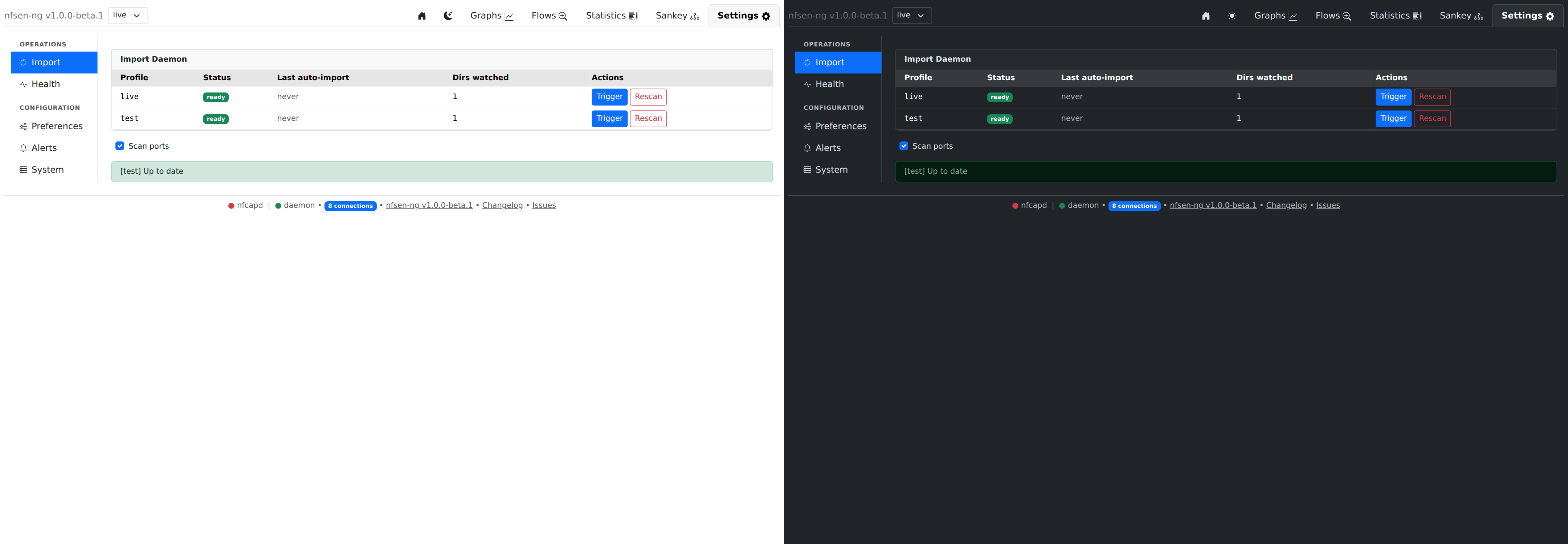
Normally you never touch this — new nfcapd files are picked up and imported automatically as they’re written. Two buttons exist for when you do need to step in:
- Trigger — re-run the catch-up import for a profile. Use this if you’ve just pointed nfsen-ng at a directory with existing historical data it hasn’t seen yet, or you suspect it missed something.
- Rescan — resets that profile’s stored data and re-imports everything from scratch. This is destructive (it discards existing aggregated data for the profile first) and asks for confirmation — reach for it only if the data looks genuinely wrong and a normal Trigger doesn’t fix it.
Both show progress live, and can be cancelled mid-way if you change your mind.