Preferences & Timezones
Two more Settings sub-tabs: Preferences (user-editable, persisted to
backend/settings/preferences.json) and System (a read-only dump of
deployment config for reference).
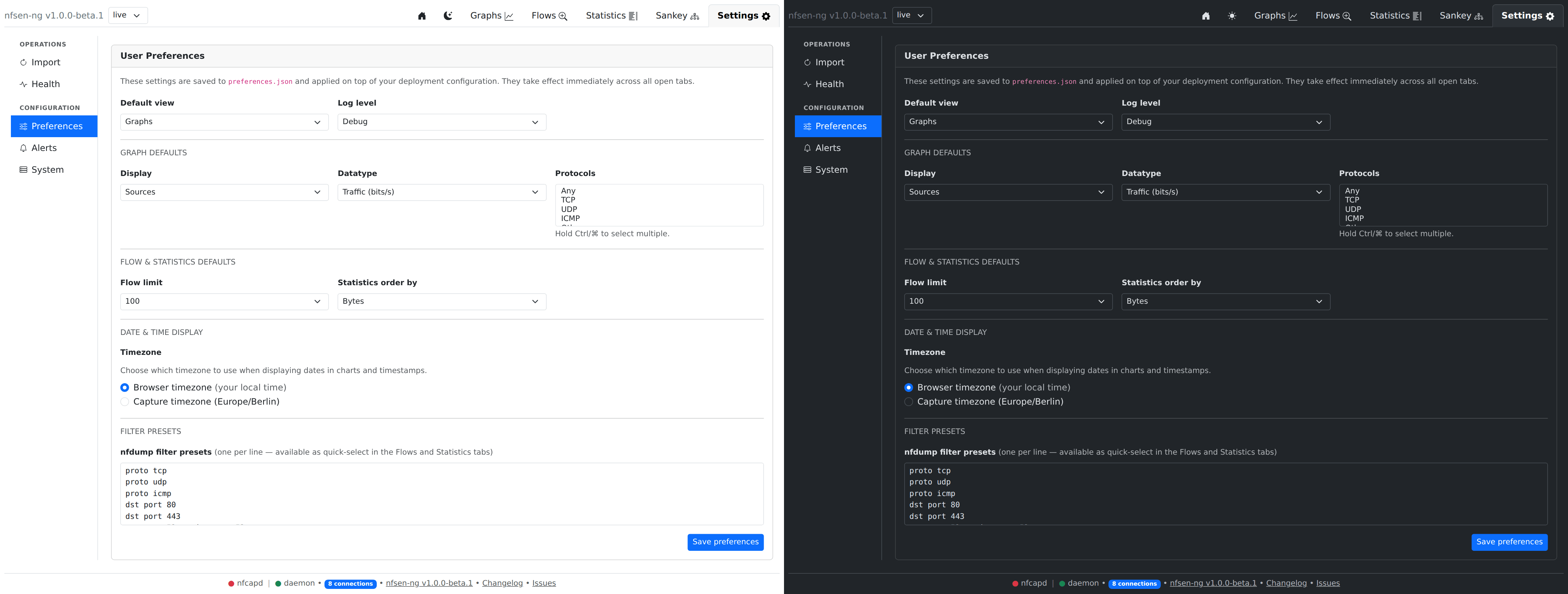
Preferences
| Section | Fields |
|---|---|
| General | Default view (which tab opens on load), log level |
| Graph defaults | Default display mode, datatype, protocols |
| Flow & statistics defaults | Default flow limit, default statistics order-by |
| Date & time display | Browser-local vs. server timezone for displayed timestamps |
| Filter presets | A saved list of nfdump filter strings, offered as quick picks across Flows/Statistics/Sankey |
Saving persists through SettingsActions::register()’s single save-settings
action, which merges the new values with whatever’s already in
preferences.json — including the alert rules, so saving preferences never
touches alert state.
How this layers with env vars /
settings.php. Configuration is applied in two stages: the deployment baseline (environment variables, then the deprecatedsettings.phpoverlay) is built first, andpreferences.jsonis overlaid on top. For the fields the Preferences tab owns — default view, graph/flow/stats defaults, filter presets, display timezone, and log level — the saved preference therefore wins over the deployment value. In particular a savedlogPriorityoverridesNFSEN_LOG_LEVEL; if you set the log level by env var, either leave the Preferences log level unset or match it there. Everything outside that list (sources, ports, datasource, nfdump paths, import depth, NetBox, theme) comes only from the deployment layer and is shown read-only on the System sub-tab.
Timezones
The container itself runs TZ=UTC; nfcapd filenames are parsed in
NFCAPD_TZ if set (falls back to the PHP timezone otherwise), independent
of the browser display setting above. If nfcapd runs in a different
timezone than the container, set NFCAPD_TZ explicitly — the Health
sub-tab’s “nfcapd file time” check will flag an implausible (future or very
stale) timestamp if this is wrong.
System
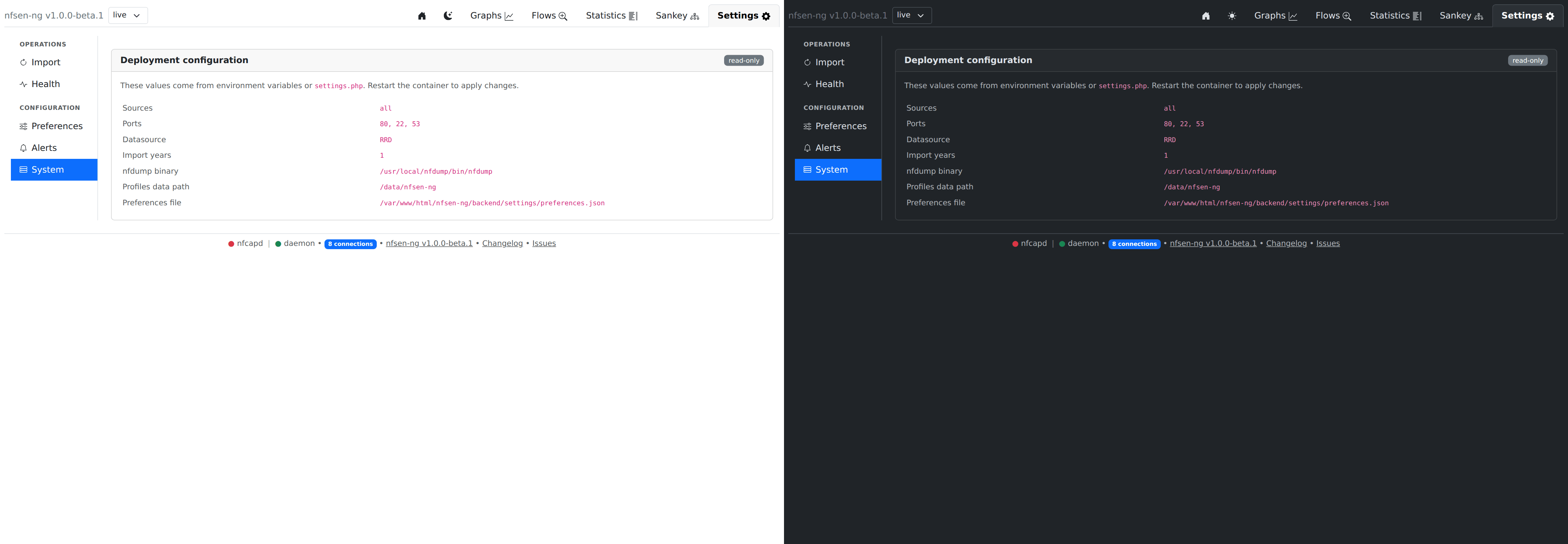
Read-only: sources, ports, active datasource, import-years, nfdump binary
path, profiles-data path, and the preferences file location — everything
that comes from environment variables or settings.php and needs a
container restart to change. Useful as a “what is this instance actually
configured with” reference without grepping env vars.